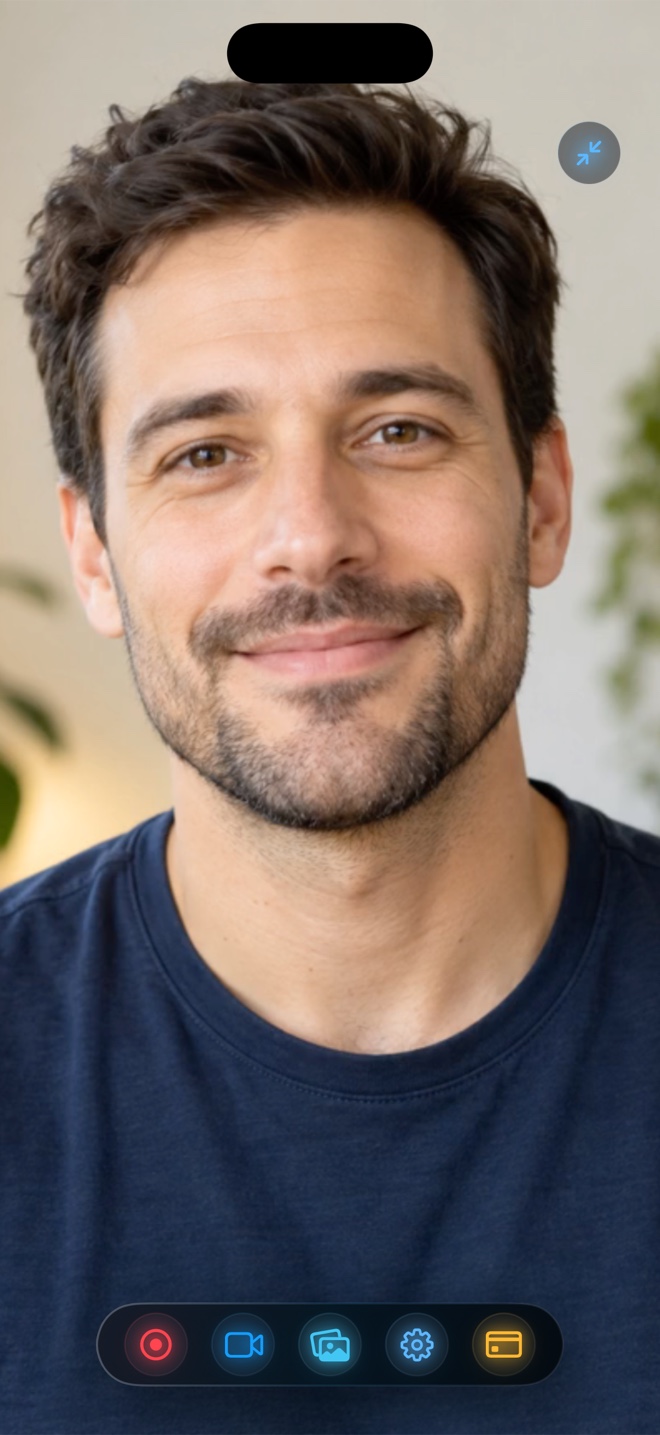
Pick Loom Mobile on iPhone when your team lives in paid Loom workspaces and you just need a quick under-5-minute screen broadcast uploaded straight to a shareable Slack/Jira URL. Pick Reel Screen Recorder on iPhone and iPad when you want a live cross-app Picture-in-Picture facecam over third-party apps, neural background blur, independent app + mic audio mixing, zero 5-minute time cap, offline reliability, and an instant local MP4 file.
| Mobile Capability | Reel Screen Recorder (iPhone & iPad) | Loom Mobile App (iOS) |
|---|---|---|
| Live facecam visible over OTHER iPhone apps | Yes — native Picture-in-Picture camera floats across apps | No cross-app camera bubble during system ReplayKit screen broadcast |
| Camera background blur & custom backdrops on iOS | Yes — on-device neural blur + photo/video loop backdrops | Not available during iOS cross-app screen broadcast |
| Free recording duration limit | Unlimited duration (storage-bound only) at 480p/720p/1080p | 5-minute max per recording & 25-video cap on Loom Starter |
| Works offline (Airplane Mode / weak cellular) | Yes — 100% local hardware HEVC MP4 encoding | Requires network upload to process and finalize Loom link |
| Independent internal app audio + mic mixer | Yes — separate gain & mute sliders on iOS | Basic system broadcast mic capture |
| Instant cloud URL + AI transcript for Slack | No — saves local MP4 (share via iOS Share Sheet anywhere) | Yes — automatically copies hosted Loom URL to clipboard |
The Surprise Most Desktop Loom Users Hit on iPhone
On a MacBook, Loom floats a round webcam bubble over your browser effortlessly. When those same users install Loom on an iPhone to demo a mobile app, they often discover an iOS limitation: starting a system screen broadcast in Loom records your screen and voice, *not* a floating cross-app webcam bubble over third-party apps.
Reel Screen Recorder was engineered specifically to solve cross-app presenter presence on iPhone and iPad using native iOS Picture-in-Picture—so your face stays live on screen while you swipe between mobile apps.
Cellular Upload Waits vs Instant Local MP4s
Recording a six-minute walkthrough on train Wi-Fi or hotel 5G exposes the friction of cloud-only mobile recorders: before you can verify or trim the video, hundreds of megabytes have to finish uploading to remote servers. Reel writes straight to iPhone flash storage via hardware HEVC, so your MP4 sits in Photos one second after you tap Stop.
| Technical Dimension | Reel Screen Recorder | Loom Mobile (iOS) |
|---|---|---|
| Why camera behavior differs on iOS | Pairs ReplayKit Broadcast with `AVPictureInPictureController` | Uses standard ReplayKit broadcast (camera only in in-app cam mode) |
| Output file format | Immediate local HEVC `.mp4` in Apple Photos | Cloud stream (downloading raw MP4 requires cloud processing first) |
| Sign-in requirement | Zero account or email required | Mandatory Loom / Atlassian account login |
| In-app video reaction player | Included on iOS — react to saved clips on camera | Not a reaction studio |
| Privacy boundary | Footage never leaves your iPhone unless you share it | Uploaded to Atlassian/Loom cloud servers |
No 5-Minute Cutoff Mid-Explanation
Loom's free Starter plan caps recordings at five minutes—fine for a quick status ping, stressful when explaining a multi-screen onboarding flow. Reel's free tier places zero minute caps on 480p, 720p, or 1080p captures.
| iPhone Use Case | Recommended App | Why It Fits |
|---|---|---|
| Pricing | Reel ($0 free 1080p; $0.99/mo or $14.99 lifetime Pro) vs Loom (~$15+/mo Business) | Reel removes monthly SaaS overhead and free 5-minute cliffs |
| Demonstrating a mobile app with your face on screen | Reel Screen Recorder | Only option here keeping a live PiP facecam over third-party iOS apps |
| Quick 2-minute async bug link for an enterprise Jira ticket | Loom Mobile | Instant URL unfurls with transcript inside Jira and Slack |
| Recording a 15-minute mobile course or Reels/TikTok demo | Reel Screen Recorder | No 5-minute limit and outputs an edit-ready local 1080p/Native MP4 |
Frequently Asked Questions
Why doesn't Loom show my camera bubble over other iPhone apps like Reel does?
Standard iOS camera previews pause in the background unless rendered through an active Picture-in-Picture controller paired with ReplayKit—which is the exact architecture Reel uses.
Can I drop a Reel iPhone MP4 directly into Slack or Notion?
Yes. Tap Share from Photos (or inside Reel) to send the standard MP4 straight to Slack, Teams, AirDrop, Google Drive, or CapCut.
Does Reel also work on Mac if I record desktop demos too?
Yes—Reel's universal App Store app runs on iPhone, iPad, and Mac.
Related Comparisons & Production Guide
Reel Screen Recorder vs TechSmith Capture & Camtasia
Compare Reel Screen Recorder vs TechSmith Capture and Camtasia: standalone iPhone, iPad, and Mac MP4 + PiP facecam capture vs desktop e-learning timelines.
Reel Screen Recorder vs VRecorder & Vidma on iPhone
Compare Reel Screen Recorder vs VRecorder and Vidma on iPhone: clean studio MP4 capture with live PiP facecam, zero watermark, and no weekly VIP paywalls.