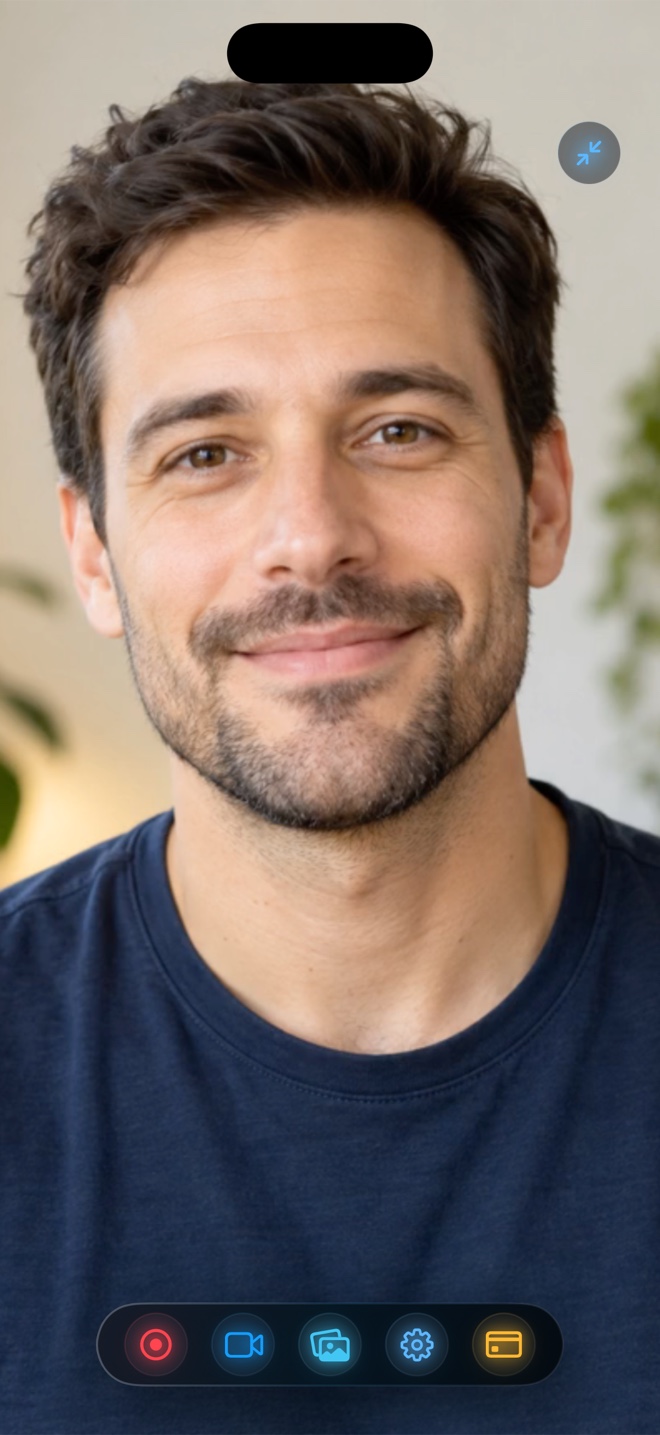
Pick Loom when your goal is pasting an instant cloud link into Slack, Jira, or Linear with automated team transcripts, timestamped viewer comments, and centralized workspace permissions. Pick Reel Screen Recorder when you want an edit-ready local MP4 file with zero cloud upload, no account sign-up, no 5-minute free recording cap, cross-app iOS PiP facecam with neural background blur, and low-cost Apple IAP pricing ($0 free up to 1080p; $0.99/mo or $14.99 lifetime Pro).
| Capability | Reel Screen Recorder (v1.3.5) | Loom (by Atlassian) |
|---|---|---|
| Primary output artifact | Direct local .mp4 file on your device immediately after stopping | Hosted cloud video page with instant shareable URL link |
| Account & sign-in requirement | None — open the app and record offline or online immediately | Mandatory Loom / Atlassian account login required |
| Free tier recording length limit | No app-imposed minute cap (limited only by free device storage) | 5-minute per-video limit and 25-video cap on Loom Starter free plan |
| iPhone & iPad cross-app facecam | Yes — live PiP facecam floats over third-party iOS/iPadOS apps | Primarily cloud broadcast capture; full cam bubble shines on desktop |
| Camera background blur & media replacement | On-device neural blur + custom photo/video loop backdrop (iOS & Mac) | Desktop camera background effects & frames; limited on mobile broadcast |
| Team comments, transcripts & Slack/Jira embeds | No cloud workspace or transcript hosting (share MP4 anywhere) | Yes — core strength: viewer comments, AI chapters, Jira/Slack unfurls |
| Supported operating systems | iPhone (iOS 26), iPad (iPadOS 26), and Mac (macOS) | macOS, Windows, Chrome Extension, iOS, and Android |
Two Different Jobs: Async Link Sharing vs Owning the Video File
Loom popularized asynchronous workplace communication by removing file management altogether: you finish talking, a browser tab opens with a copied URL, and five colleagues can watch at 1.5x speed and leave emoji reactions at 01:42. If you work inside a distributed product engineering org running on Slack, Linear, and Jira, that link-first loop saves genuine calendar hours every week.
Creators, educators, indie developers, and solo consultants often have the exact opposite requirement: they need an actual `.mp4` file to drop into Final Cut Pro, CapCut, YouTube Studio, TikTok, an LMS course module, or an Apple App Store Connect preview slot. Uploading gigabytes to a cloud server just to wait for transcoding and re-download the MP4 introduces unnecessary friction and recurring SaaS bills.
Mobile Screen + Facecam Reality on iPhone and iPad
Desktop recorders have enjoyed floating webcam bubbles for years, whereas iOS imposes strict sandboxing between apps. Many cloud tools treat their iPhone app primarily as a viewer for team videos or a basic screen broadcast uploader without full live cross-app camera controls.
Reel Screen Recorder treats iPhone and iPad as first-class production studios. Its Picture-in-Picture facecam stays visible while you navigate any third-party mobile app, complete with on-device neural background blur, photo/video loop backdrops, orientation lock, and independent app-sound plus microphone gain sliders.
| Technical Dimension | Reel Screen Recorder | Loom |
|---|---|---|
| Encoding & container | Hardware HEVC MP4 (iOS/iPadOS) & H.264 MP4 (Mac up to 120 fps pref) | Streamed cloud upload transcoded for adaptive browser playback |
| Offline recording support | 100% functional without Wi-Fi or cellular connectivity | Requires network connection to upload and generate share links |
| Audio control | Independent app sound + mic level sliders; single-track or two-track MP4 | Microphone + desktop system audio capture mixed into cloud stream |
| Data residency & NDA posture | Zero vendor cloud footprint — footage never leaves your hardware | Hosted on Loom/Atlassian cloud infrastructure under workspace access controls |
| Getting an MP4 for Final Cut / YouTube | Already saved locally on disk the second you stop recording | Must wait for cloud processing, then manually download MP4 (paid/eligible plans) |
Privacy, Offline Reliability, and NDA Screen Demos
When recording pre-release iOS builds, financial dashboards, medical software demos, or client workspaces under strict non-disclosure agreements, routing raw footage through a third-party cloud vendor often triggers security review headaches—or is flatly prohibited.
Because Reel encodes straight to local storage using Apple's hardware HEVC (on iOS/iPadOS) and H.264 (on Mac) pipelines without creating an account, Arte Soft EOOD never receives or hosts a single frame of your footage. It works identically on an airplane in Airplane Mode as it does on fiber Wi-Fi.
| Workflow / Cost Comparison | Reel Screen Recorder | Loom |
|---|---|---|
| Free tier | $0 (ad-supported) — unlimited takes at 480p, 720p, and 1080p | $0 Starter — up to 25 videos, 5 minutes max per recording |
| Paid upgrade cost | $0.99/mo, $9.99/yr, or $14.99 one-time lifetime (shared across iOS/iPadOS/Mac) | Per-creator monthly/annual SaaS subscription (~$15+/creator/month) |
| Async engineering PR review in Slack/Jira | Good if attaching short MP4s manually | Best fit — instant URL link, 1.5x playback, and inline timestamped replies |
| YouTube, TikTok, Reels & App Store demos | Best fit — clean local 1080p or Native Retina MP4 ready for NLE timelines | Extra upload-then-download roundtrip adds compression and wait time |
| Confidential client prototypes or offline travel | Best fit — files remain strictly on your encrypted local Apple device | Requires uploading client screens to external cloud workspace |
Long-Term Cost Math: Per-Seat SaaS vs $14.99 Lifetime IAP
Cloud screen recorders charge recurring per-creator seat fees because they pay ongoing cloud storage, bandwidth, and transcription compute costs for every video hosted in your library. Over two years, a single $15/month seat totals $360—and cancelling can complicate access to older hosted links.
Because your own iPhone, iPad, or Mac supplies both the encoder and the disk storage, Reel keeps 480p, 720p, and 1080p capture free with ad support, and prices Reel Pro (ad removal + Source Native resolution across all your Apple devices) at $0.99/month, $9.99/year, or $14.99 once for life.
Frequently Asked Questions
Can I still share a Reel MP4 recording in Slack, Teams, or email?
Yes. Standard H.264/HEVC MP4 files dragged into Slack, Microsoft Teams, Discord, iMessage, or Google Drive play inline with native video previews, without requiring viewers to log into an external video workspace.
Does Reel have a 5-minute recording limit on the free tier like Loom Starter?
No. Reel imposes no recording duration limit or total video count cap on its free 480p, 720p, and 1080p tiers—recording length depends only on available local storage and device thermals.
Does Reel run on Windows or Chrome OS?
No. Reel Screen Recorder is built natively for Apple platforms (iPhone on iOS 26, iPad on iPadOS 26, and Mac on macOS). Teams needing Windows or browser-extension capture should use Loom or OBS Studio.
Related Comparisons & Production Guide
Reel Screen Recorder vs OBS Studio on Mac: Fast MP4 vs Live Broadcast Studio
Compare Reel Screen Recorder vs OBS Studio on Mac: fast single-pass MP4 capture with neural webcam blur versus multi-scene live streaming and broadcast rigs.
Reel vs QuickTime Player & macOS Screenshot Toolbar (Cmd+Shift+5)
Compare Reel Screen Recorder against QuickTime Player and Cmd+Shift+5 on Mac: internal system audio + mic mixing, floating blurred webcam, and MP4 vs MOV files.