Pick a cloud recorder (Loom, Vidyard, Zight) when you are recording non-sensitive internal updates and have an approved corporate DPA/workspace where instant URL sharing saves time. Pick an offline local recorder like Reel Screen Recorder when recording confidential client environments, pre-release apps, financial/clinical UIs, or flights with zero Wi-Fi: Reel requires no account, runs no cloud recording servers, works in Airplane Mode, and writes MP4s strictly to your local iPhone, iPad, or Mac.
| Privacy & Security Control | Reel Screen Recorder (Local) | Apple Built-In (iOS / QuickTime) | Cloud Link Recorders (Loom / Zight) |
|---|---|---|---|
| Mandatory user account / email login | None — zero registration | None (device OS level) | Required before recording |
| Automatic upload to vendor servers | Never — Arte Soft operates zero video servers | Never (unless iCloud Photos is enabled by user) | Default behavior — streams/uploads to vendor cloud |
| Works 100% offline / Airplane Mode | Yes — full screen, camera, blur & audio capture offline | Yes | Offline capture restricted or queued for upload |
| Local inspection before anyone can view | 100% — file exists only on your device until you share | 100% local | Link exists in cloud workspace immediately unless deleted |
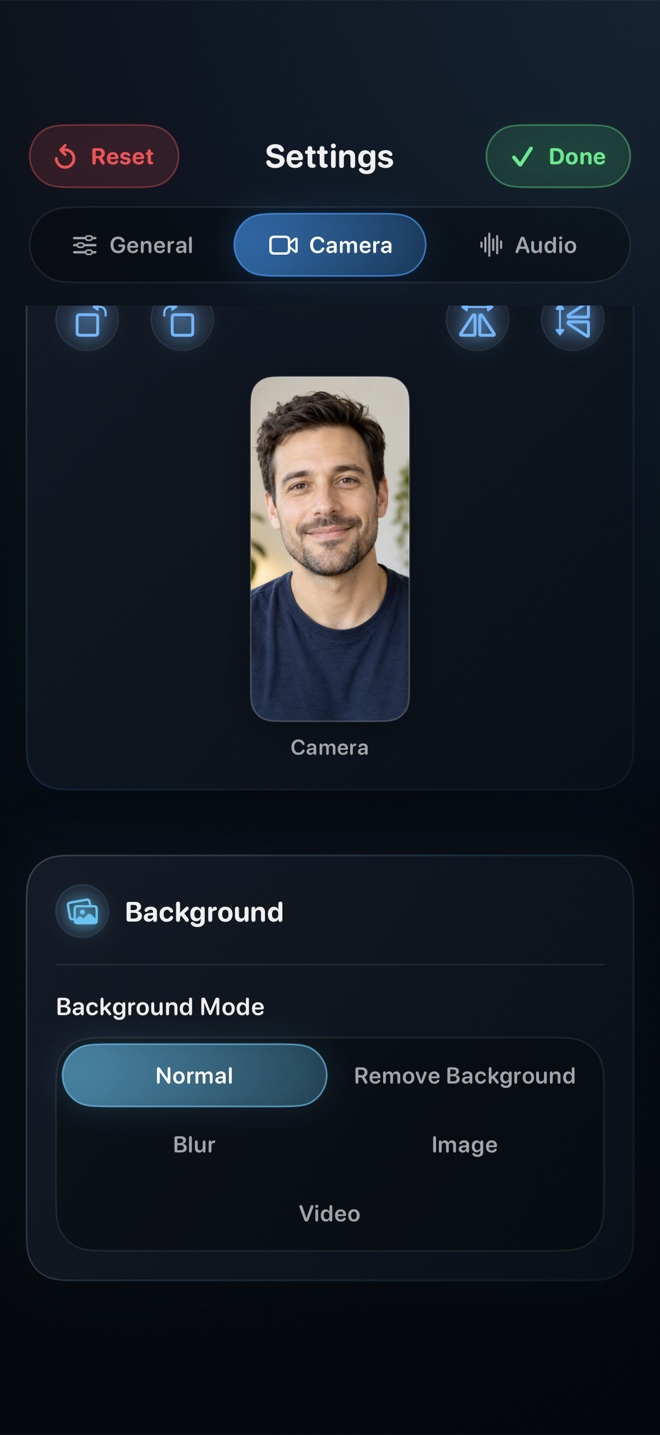
| On-device neural camera background blur | Yes — processed locally on Apple Neural Engine | macOS Portrait Mode (Mac only) | Browser/client or cloud processing |
| Live facecam + app audio mixer included | Yes — iPhone, iPad, and Mac | No camera or mixer on iOS built-in | Desktop strong; mobile cross-app limited |
The Accidental Credential Leak Problem
Developers and consultants routinely notice halfway through a recording that an `.env` file, admin dashboard customer row, or notification banner flashed on screen for half a second. With an auto-uploading cloud recorder, those frames are already pushing to a remote bucket while you reach for the delete button.
When recording locally to MP4 with Reel, nothing leaves your device. If you spot sensitive data, you either delete the local take in two seconds or blur that two-second span in your video editor before anyone ever receives the file.
Air-Gapped & Airplane-Mode Reliability
Local capture is not just a privacy win—it is an operational reliability win. Conference Wi-Fi, hotel networks, and flights routinely throttle upstream video uploads. Reel's ReplayKit (iOS/iPadOS) and ScreenCaptureKit (macOS) pipelines write straight to flash storage with zero network dependency.
| Technical Layer | Reel Free Tier | Reel Pro / macOS | Cloud SaaS Recorders |
|---|---|---|---|
| Video, camera & audio bytes | 100% local Photos (iOS) or chosen folder (Mac) | 100% local Photos or chosen Mac folder | Uploaded to vendor cloud object storage & CDN |
| Imported background images/videos | Processed locally inside app sandbox | Processed locally inside app sandbox | Often uploaded to account asset library |
| Advertising SDK network calls | Google AdMob on iOS free tier (governed by ATT consent) | Zero ad requests (ads disabled on Pro & all Mac builds) | Account analytics, workspace telemetry & viewer tracking |
| Deletion guarantee | Delete file from Photos/Finder (+ Recently Deleted) | Delete file from Photos/Finder | Must purge from cloud workspace & trash retention |
| Mac window isolation | Excludes Reel control window; user picks exact display | Window or region selection | Tab, window, or full-screen selection |
Zero-Ad Footprint Option for Strict Environments
On macOS, Reel includes zero third-party ad requests even on the free tier. On iPhone and iPad, upgrading to Reel Pro ($0.99/mo, $9.99/yr, or $14.99 lifetime) removes AdMob completely so your mobile recording tool operates with zero ad network traffic.
| Scenario | Recommended Approach | Security Rationale |
|---|---|---|
| Recording under client NDA or unreleased codebase | Reel Pro or macOS Reel (Offline) | Zero account, zero ad SDK traffic, and local MP4 you can redact before sending |
| Public customer support tutorial with instant link | Cloud Recorder (with viewer permissions set) | Convenient URL playback without emailing large attachments |
| Recording demos on an airplane or subway | Reel Screen Recorder | Hardware local encoding never stalls waiting for upload bandwidth |
| Sharing confidential walkthrough via end-to-end encrypted chat | Reel Local MP4 → Signal / AirDrop / Enterprise Drive | Keeps transport inside your organization's approved storage boundary |
Frequently Asked Questions
Does Arte Soft ever see or store my screen recordings?
Never. Arte Soft EOOD operates no cloud video storage servers for Reel Screen Recorder—all screen, camera, and audio capture happens locally on your iPhone, iPad, or Mac.
Can I use Reel Screen Recorder completely offline in Airplane Mode?
Yes. Screen broadcast, Picture-in-Picture camera, neural background blur, audio mixing, and MP4 export all run locally on device with Wi-Fi and cellular turned off.
Where are MP4 files stored on iPhone vs Mac?
On iPhone and iPad, recordings finalize inside Reel and save directly to your local Apple Photos library. On Mac, recordings write straight to the local folder you select.
Related Comparisons & Production Guide
iPad Screen Recording With Stage Manager & Apple Pencil Compared
Compare iPad screen recorders for Stage Manager multitasking and Apple Pencil apps: Reel Screen Recorder vs iPadOS Control Center vs wired Mac capture.
Elgato Capture Card vs iPhone Screen Recorder App Compared
Should you buy an Elgato USB-C capture card or record right on iPhone? Compare hardware HDMI capture + OBS vs Reel Screen Recorder on video, audio, and cost.