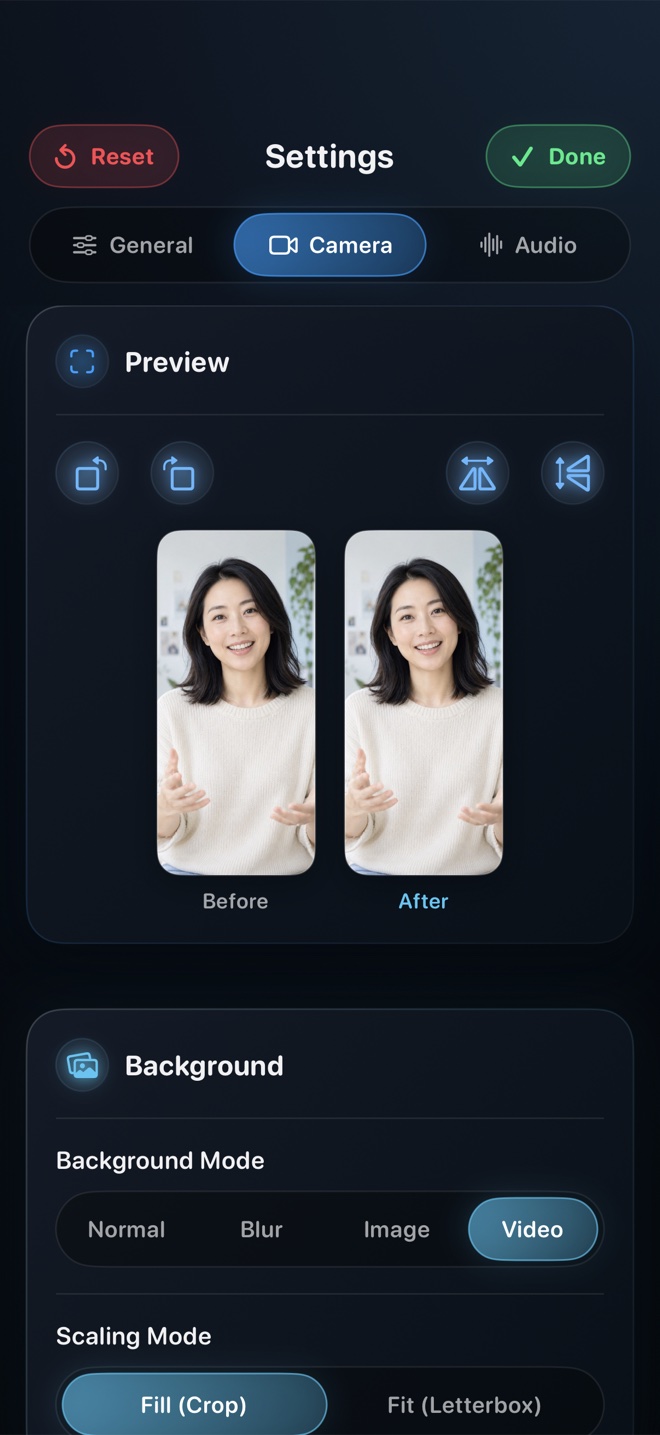
Pick iPadOS built-in Control Center ($0) when you want a fast silent capture of an Apple Pencil sketch with no presenter facecam. Pick wired USB-C capture into a Mac when you need external dual-screen tutorial production on desktop software. Pick Reel Screen Recorder ($0 up to 1080p, $14.99 lifetime Pro for full Liquid Retina pixels) to record Stage Manager workflows and Apple Pencil apps directly on the iPad with a movable Picture-in-Picture facecam, background blur, and independent mic + app audio sliders.
| iPad Capability | Reel Screen Recorder (iPadOS 26) | iPadOS Control Center Recorder | Wired USB-C to Mac QuickTime |
|---|---|---|---|
| Captures Stage Manager multi-window workspace | Yes — records full active iPad display canvas | Yes — records active iPad display | Mirrors iPad display over USB-C |
| Records Apple Pencil strokes & hover effects | Yes — captures rendered app canvas & Pencil hover UI | Yes | Yes |
| Live presenter facecam floating on iPad screen | Yes — draggable/resizable native iPadOS PiP window | No camera capture during screen recording | Requires separate Mac webcam in OBS/ScreenFlow |
| Independent iPad app audio & mic level control | Yes — separate gain/mute sliders | Binary Mic On/Off only | Captures iPad sound; voice recorded on Mac |
| Aspect ratio preservation (4:3 / ~1.43:1 iPad) | Yes — caps short side at 480/720/1080p or Native without stretching | Native iPad aspect ratio | Native iPad aspect ratio |
| Standalone untethered tablet mobility | 100% standalone on iPad | 100% standalone | Tethered to a Mac |
Why iPad's 4:3 Geometry Trips Up Generic 16:9 Recorders
Unlike 16:9 monitors or tall 19.5:9 phones, iPads use a boxy ~4:3 or 10:7 canvas that gives Apple Pencil room to breathe. Recorders hardcoded to 1920×1080 either stretch your handwriting horizontally or burn thick pillarbox bars into the master file.
Reel scales by capping the shorter dimension (480p, 720p, or 1080p) while preserving your iPad's exact native aspect ratio—or captures every Liquid Retina pixel unscaled with Reel Pro's Source (Native) tier.
Managing PiP Placement Inside Stage Manager
Stage Manager lets you cluster two or three resizable app windows plus a side dock and bottom shelf. Before starting your Reel broadcast, arrange your Stage Manager windows slightly inset from one corner so your Picture-in-Picture camera has a dedicated home that never covers active toolbars—or flick the PiP window to another corner mid-take with one finger.
| Technical Dimension | Reel on iPad | Practical Impact for Creators |
|---|---|---|
| iPad display geometry | ~4:3 / 10:7 Liquid Retina (not 16:9) | Reel preserves true iPad proportions with encoder-safe even pixel dimensions—zero squished circles |
| Free 1080p tier on iPad | Short side capped at 1080px, long side scaled proportionally | Crisp diagrams and handwriting at compact HEVC MP4 file sizes |
| Reel Pro Source (Native) on iPad | Full native Liquid Retina pixel grid (up to 11" / 13" iPad Pro) | Razor-sharp small UI labels in Stage Manager multi-window demos |
| Camera orientation on iPad | Supports landscape & portrait camera framing + neural blur | Works seamlessly with landscape-edge cameras on newer iPads |
| Pencil tap noise mitigation | Pair with wired/USB-C lapel mic & adjust Reel Mic gain | Prevents glass tap transients from clipping voiceover |
Handling Apple Pencil Tap Acoustics
The iPad's built-in microphones sit right inside the aluminum chassis, so every hard Apple Pencil tap conducts straight into the mic capsule as a low thump. Using a clip-on USB-C mic or headset mic—and setting comfortable headroom in Reel's Microphone slider—makes tablet tutorials sound studio-clean.
| iPad Workflow | Best Choice | Why It Excels |
|---|---|---|
| Goodnotes / Freeform lecture with teacher facecam | Reel Screen Recorder | Students see your face in PiP while you write equations with Apple Pencil |
| Procreate time-lapse of artwork only (no UI/voice) | Procreate Built-In Time-Lapse | Exports stroke-by-stroke canvas replay natively inside Procreate |
| Narrated Procreate / Affinity / Shapr3D UI tutorial | Reel Screen Recorder (1080p or Pro Native) | Shows tool palettes, brush settings, voiceover, and presenter together |
| Stage Manager multitasking productivity review | Reel Pro (Source Native) | Preserves crisp text across two or three simultaneous iPad windows |
Frequently Asked Questions
Does Reel record the whole iPad screen or a single Stage Manager window?
On iPadOS, Apple's ReplayKit Broadcast Extension captures the full active iPad screen—including your Stage Manager window arrangement and floating Picture-in-Picture camera—in one unified MP4.
Will Apple Pencil hover and strokes appear in Reel recordings?
Yes. Everything rendered onto the iPad display by your drawing or note-taking app, including Apple Pencil hover previews and live ink strokes, is captured in real time.
Does Reel stretch my iPad screen to 16:9?
No. Reel preserves your iPad's native aspect ratio across 480p, 720p, 1080p, and Source (Native) exports so circles and UI elements stay geometrically accurate.
Related Comparisons & Production Guide
Elgato Capture Card vs iPhone Screen Recorder App Compared
Should you buy an Elgato USB-C capture card or record right on iPhone? Compare hardware HDMI capture + OBS vs Reel Screen Recorder on video, audio, and cost.
Reel Screen Recorder vs iOS Built-In Screen Recorder on iPhone & iPad
Compare Reel Screen Recorder vs the iOS Control Center recorder: cross-app PiP facecam, independent app and mic audio mixing, background blur, and MP4 output.