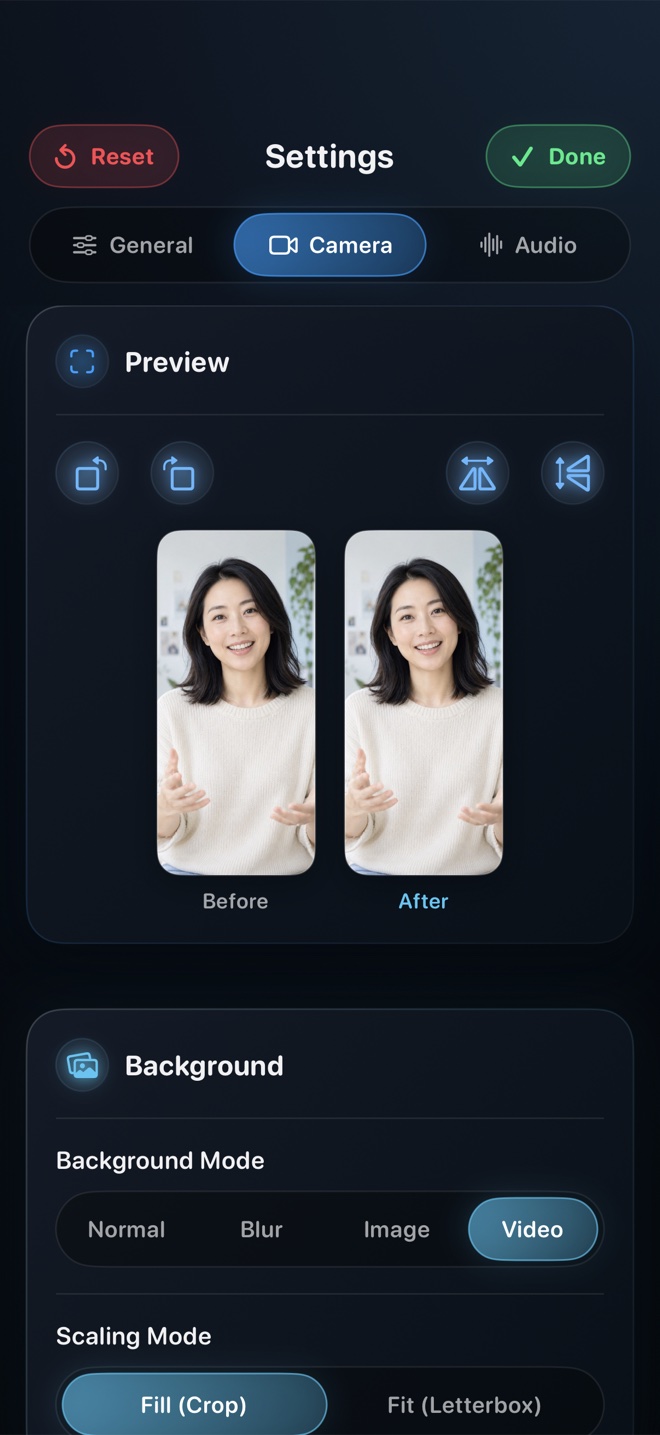
Pick Loom ($15+/mo) when you send quick internal student feedback links and want automatic cloud hosting rather than downloadable course MP4 masters. Pick Camtasia or ScreenFlow on Mac when your curriculum relies on heavy post-capture callout arrows, quizzes, and timeline zooms. Pick Reel Screen Recorder ($0 for 1080p, $14.99 lifetime Pro) to record unlimited local MP4 course modules on iPad, iPhone, and Mac in one pass—with live cross-app Picture-in-Picture facecam, neural room blur, and balanced voice + app audio.
| Teaching Capability | Reel Screen Recorder | Loom (iOS/iPadOS App) | Wired iPad + Desktop Camtasia |
|---|---|---|---|
| Live facecam over Goodnotes / Freeform / Safari | Yes — native iPadOS/iOS Picture-in-Picture overlay | Limited cross-app mobile PiP bubble support | Yes — via separate Mac webcam + USB iPad feed |
| Direct local MP4 ready for Teachable / Kajabi / LMS | Yes — immediate local MP4 in Photos / Mac folder | Uploads to cloud first; MP4 download requires paid plan | Yes — renders MP4 after desktop timeline export |
| Free recording duration limit | Unlimited (storage-bound) at 480p/720p/1080p | 5-minute cap & 25-video limit on Starter free plan | Trial watermark until desktop license purchased |
| On-device camera background blur for home offices | Yes — neural blur or clean custom slide backdrop | Desktop-focused effects | Requires macOS Portrait Mode or green screen |
| Balance app playback sound vs instructor mic | Yes — independent live App Audio & Mic sliders | Single system mix on mobile | Multi-track timeline ducking in post |
| Works offline in classrooms or flights | Yes — zero internet required to record MP4 | Requires cloud upload connectivity | Yes — local desktop project |
Why Single-Take PiP Multiplies Course Output
Most unfinished online courses stall in the editing room, not the classroom. Recording an iPad screen separately from an iPhone or mirrorless camera means transferring gigabytes of footage, aligning waveforms, keying backgrounds, and rendering every single lesson.
With Reel on iPad or Mac, your camera sits in a clean Picture-in-Picture corner with neural background blur while you write with Apple Pencil in Goodnotes, Notability, or Freeform. When you stop the broadcast, the lesson MP4 is ready to upload straight to your LMS.
Center Stage & Eye-Line Tips on iPad
Position your iPad in landscape on an elevated stand rather than flat on the desk so students look across at you rather than up at the ceiling. Keep your PiP bubble parked in a consistent corner (usually bottom-right) where toolbar menus rarely appear, and drag it aside effortlessly if a diagram reaches that corner.
| Course Spec | Reel Screen Recorder Output | Why Course Platforms Prefer It |
|---|---|---|
| Standard lesson resolution | Free 1080p or Pro Source (Native) Retina | Matches 1080p/4K ingestion on Udemy, Teachable, Kajabi, Skool & YouTube |
| Orientation control | Explicit Landscape (16:9 courses) or Portrait (micro-lessons) | Prevents accidental vertical black bars in widescreen course players |
| Audio format | Single-track stereo AAC MP4 default (+ optional Two-Track) | Plays identically across web browsers, iOS LMS apps, and Android |
| Watermark policy | Zero watermarks on both Free and Pro tiers | Meets Udemy and Skillshare strict no-third-party-logo quality checks |
| Apple ecosystem coverage | Universal app on iPhone, iPad, and Mac | Record iPad whiteboard lessons and Mac software demos with one tool |
Clean Instructor Audio Without Studio Gear
An inexpensive wired lapel mic or USB-C headset plugged into your iPad eliminates desk thumps from Apple Pencil taps against the glass—the single most common audio distraction in tablet-recorded courses.
| Educator Scenario | Best Tool | Cost & Workflow Advantage |
|---|---|---|
| Recording a 30-lesson iPad Apple Pencil math/design course | Reel Screen Recorder | $0 (1080p) or $14.99 once — saves hours of multi-camera syncing |
| Sending a 2-minute async homework critique via URL | Loom | Instant shareable link without uploading an MP4 manually |
| Building enterprise software simulations with clickable callouts | Camtasia / ScreenFlow on Mac | Purpose-built post-production callout and cursor-smoothing suite |
| University lecture capture on Mac + slides | Reel Screen Recorder on Mac | Free ad-free H.264 MP4 with composited webcam and `⌘R` shortcut |
Frequently Asked Questions
Do Udemy and Teachable accept MP4 files recorded by Reel?
Yes. Reel exports standard watermark-free MP4 files with stereo AAC audio at 720p, 1080p, or Source (Native) resolution, which upload directly to Udemy, Teachable, Kajabi, Podia, Skool, and YouTube.
Can I blur a messy home office while recording an iPad lesson?
Yes. Reel includes on-device neural background blur and custom image or video loop backdrops at no extra cost, and those effects remain active inside the cross-app Picture-in-Picture window.
Does one Reel Pro purchase cover both my iPad and my Mac?
Yes. Reel Pro ($0.99/mo, $9.99/yr, or $14.99 lifetime) is a universal Apple In-App Purchase tied to your Apple ID across iPhone, iPad, and Mac.
Related Comparisons & Production Guide
Best iPhone Screen Recorder for TikTok, Instagram Reels & Shorts
Compare vertical 9:16 iPhone screen recording workflows for TikTok, Instagram Reels, and YouTube Shorts: Reel Screen Recorder vs CapCut vs native app cameras.
One-Time Lifetime vs Weekly Subscription iOS Screen Recorders
Compare 1-year and 3-year costs of iOS screen recorders: $5–$8/week subscriptions vs built-in iOS tools vs Reel Screen Recorder's $14.99 lifetime Pro.