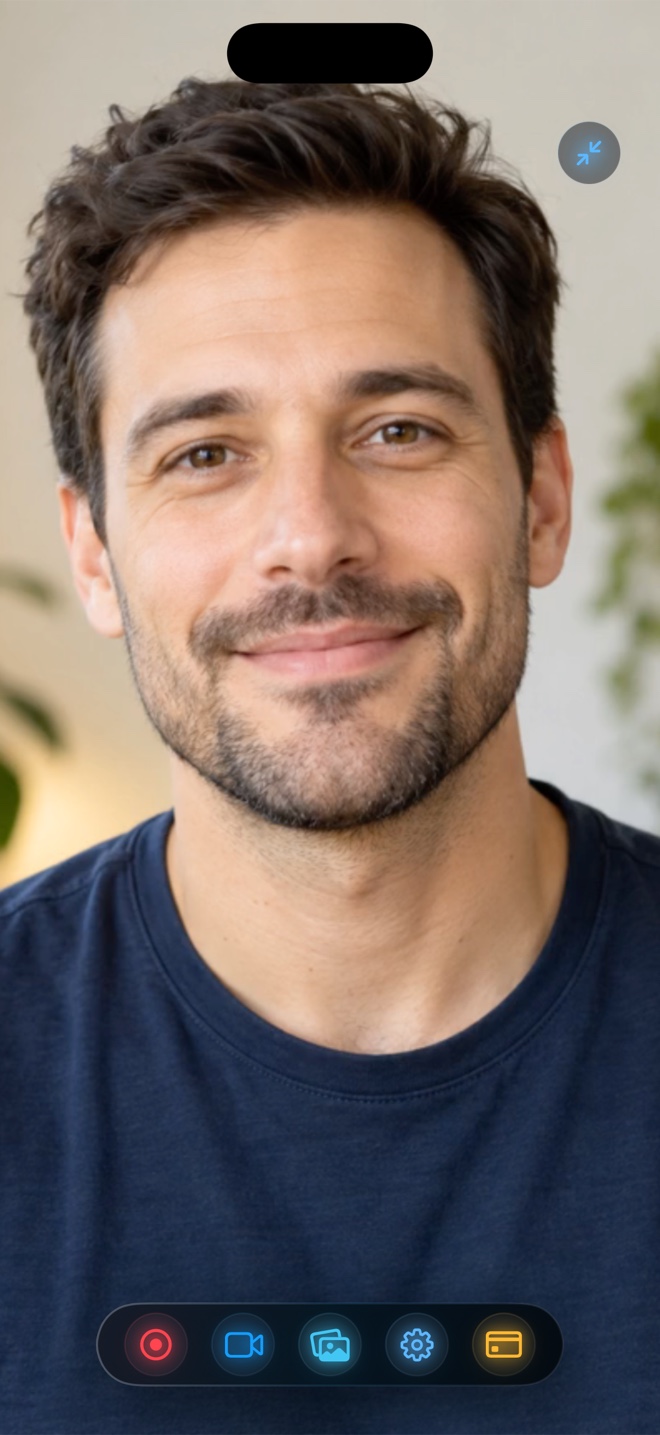
Pick Mobizen if you primarily record on Android devices where its floating AirCircle widget and built-in meme/B-roll tools shine. On iPhone, iPad, and Mac, pick Reel Screen Recorder: it uses native iOS Picture-in-Picture to float a live blurred facecam over third-party apps, mixes app + mic audio independently, exports watermark-free 1080p MP4s for free, and offers a $14.99 lifetime Pro unlock across all Apple devices.
| Capability | Reel Screen Recorder (iOS, iPadOS, Mac) | Mobizen (Android-First / iOS) |
|---|---|---|
| Apple-native architecture | Built specifically for iOS 26, iPadOS 26 & macOS | Designed around Android OS overlays; limited iOS parity |
| Live facecam over third-party iPhone apps | Yes — native iOS Picture-in-Picture window | Android supports floating cam; iOS relies on ReplayKit workflows |
| Watermark on free recordings | None — 1080p MP4 exports completely watermark-free | Free tier traditionally includes Mobizen watermark unless removed |
| On-device background blur & custom media | Yes — neural blur, imported image/video loop, or cutout | Clean mode / shape facecam on supported Android builds |
| Independent mic & internal audio sliders | Yes — adjust or mute either stream before or mid-recording | System ReplayKit mic toggle on iOS |
| Desktop macOS screen + webcam recorder | Included in the same universal App Store app | No native macOS ScreenCaptureKit recorder |
What Android Switchers Need to Know About iPhone Screen Recording
If you just moved from a Galaxy or Pixel phone to an iPhone, searching for Mobizen is second nature. On Android, apps request `SYSTEM_ALERT_WINDOW` permission to hover floating record buttons and camera squares over any game. Apple intentionally omits that permission on iOS for security and battery life.
Instead, Apple provides two official mechanisms that Reel combines seamlessly: ReplayKit Broadcast Extensions to capture the full screen and internal app sound, and Picture-in-Picture (`AVPictureInPictureController`) to keep your live camera floating above whatever app you open.
Clean Footage Without Branding Stamps
Many cross-platform mobile recorders monetize by placing a branded watermark in the bottom corner of free videos until you subscribe. Reel keeps your video canvas 100% clean across all free tiers (480p, 720p, and 1080p), saving standard MP4 files straight to your Photo Library.
| Technical Dimension | Reel Screen Recorder | Mobizen |
|---|---|---|
| Video container & codec | Hardware HEVC .mp4 (iOS/iPadOS) & H.264 .mp4 (Mac) | MP4 export |
| Quality options | 480p, 720p, 1080p (free) + Source Native Retina (Pro) | Resolution & bitrate tiers (higher tiers often subscription-gated) |
| Audio track modes | Single-track mixed stereo default + optional two-track MP4 | Single mixed audio output |
| Account requirement | None — zero login or cloud account | Optional account / studio features depending on platform |
| Data storage | 100% local to Apple Photos (iOS) or chosen folder (Mac) | Local storage + optional cloud studio features |
Extending Your Setup to iPad and Mac
Because Reel is written natively with Apple's ReplayKit and macOS ScreenCaptureKit frameworks, installing it from the App Store gives you a cohesive studio across your iPhone, iPad, and Mac—including `⌘R` start/stop shortcuts and 30/60/120 fps preferences on macOS.
| User Scenario | Best Choice | Why It Fits |
|---|---|---|
| Android phone or Samsung tablet gamer | Mobizen | Reel is Apple-exclusive; Mobizen's AirCircle is built for Android |
| Former Android creator who just switched to iPhone | Reel Screen Recorder | Closest iOS-native equivalent to a live floating facecam + clean MP4 |
| Educator or developer using iPad + MacBook | Reel Screen Recorder | Universal app works across iPadOS and macOS with zero Mac ads |
| Budget-conscious creator avoiding monthly lock-in | Reel Screen Recorder | Free 1080p with zero watermark, or $14.99 one-time lifetime Pro |
Frequently Asked Questions
Does iOS allow floating AirCircle record buttons over games like Android?
No—iOS shows a compact red status indicator in the Dynamic Island or status bar during broadcasts while allowing a floating Picture-in-Picture camera window.
Is Reel available on Android?
No. Reel Screen Recorder is built exclusively for iPhone (iOS 26+), iPad (iPadOS 26+), and Mac.
Can I mute my microphone mid-recording in Reel?
Yes. Reel lets you adjust or mute microphone and system audio levels independently, even while a recording is running.
Related Comparisons & Production Guide
AZ Screen Recorder for iPhone? Best Native iOS Alternatives Compared
Looking for AZ Screen Recorder on iPhone? Compare native iOS alternatives—Reel Screen Recorder vs Control Center and ReplayKit apps—with no watermark and PiP.
Reel Screen Recorder vs Go Record: Live PiP Facecam vs Post-Reaction
Compare Reel Screen Recorder vs Go Record on iPhone and iPad: single-take live Picture-in-Picture facecam over apps vs post-recording FaceCam commentary.