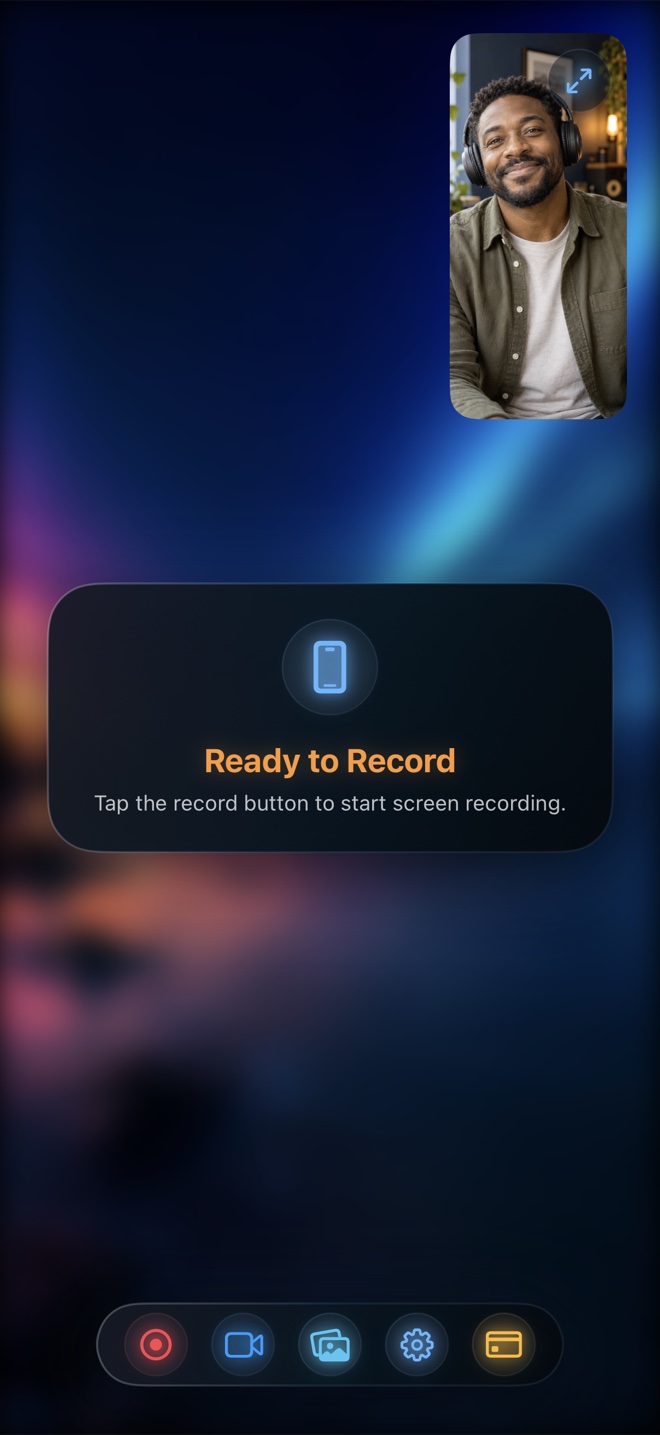
AZ Screen Recorder is primarily an Android classic; on iPhone, avoid generic weekly-subscription lookalikes. Pick Apple's built-in Control Center recorder ($0) if you only need quick facecam-free clips, or pick Reel Screen Recorder ($0 free up to 1080p, no watermark, no time limit; $14.99 lifetime Pro) to get every hallmark AZ users love: live cross-app floating facecam, internal + mic audio mixing, background blur, and clean MP4 files.
| AZ Screen Recorder Hallmark | Reel Screen Recorder (iOS/Mac) | iOS Built-In Recorder | Generic App Store Clones |
|---|---|---|---|
| Zero watermark on free 1080p video | Yes — 100% watermark-free MP4 | Yes — clean system capture | Often adds watermark until paid |
| No artificial 3-minute time limit | Yes — record as long as storage allows | Yes — storage-limited only | Frequently caps free clips |
| Live floating facecam over games/apps | Yes — via native iOS Picture-in-Picture | No camera support | Usually post-recording reaction only |
| Internal audio + microphone together | Yes — with separate volume sliders | Binary Mic On/Off (no mixer) | Basic ReplayKit wrapper |
| Camera background blur / replacement | Yes — on-device neural blur & backdrops | No | Rare |
| Mac desktop screen recording included | Yes — universal Mac app (no ads) | Separate QuickTime on Mac | Mobile only |
Why AZ Became the Benchmark—and Why App Store Clones Disappoint
AZ Screen Recorder earned loyalty on Android for three simple promises: no watermarks, no time limits, and an affordable one-time upgrade instead of predatory subscriptions. Unfortunately, searching popular Android utility names in the iOS App Store often surfaces ad-heavy copycats charging $6.99 to $9.99 per week.
Reel Screen Recorder brings that exact honest utility philosophy natively to iPhone, iPad, and Mac: 480p, 720p, and 1080p screen + camera recording are completely free without watermarks or duration caps.
One Honest Difference on iOS: Live Screen-Draw Overlays
On Android, some recorders let you scribble red arrows over any running app because Android permits touch-intercepting overlay windows. iOS prohibits one app from intercepting touches on top of another app for security reasons. When teaching on iPhone or iPad, either annotate inside a notes/whiteboard app while Reel's PiP facecam floats above, or add arrows afterward in Photos or your video editor.
| Technical Dimension | Reel Screen Recorder on iPhone | How It Compares to Android AZ |
|---|---|---|
| Screen capture mechanism | Apple ReplayKit Broadcast Upload Extension | Equivalent to Android `MediaProjection` API |
| Floating facecam mechanism | Native `AVPictureInPictureController` window | iOS-sanctioned equivalent to Android camera overlay |
| Output file format | Hardware HEVC inside standard `.mp4` saved to Photos | Smaller files at equal clarity vs older software H.264 |
| Orientation control | Portrait or Landscape lock set before broadcast | Prevents sideways mobile game recordings |
| Privacy & accounts | Zero login, zero servers, 100% local files | Same local-first philosophy |
Superior Hardware HEVC Encoding on Apple Silicon
Where switching to iPhone actually upgrades your recordings is Apple's dedicated Media Engine. Reel writes hardware-accelerated HEVC inside a standard `.mp4` container on iOS and iPadOS, keeping twenty-minute 1080p walkthroughs remarkably compact without taxing battery or frame rate.
| Pricing / Use Case | Recommended iPhone Option | Why It Matches |
|---|---|---|
| Fair pricing (like AZ's low one-time upgrade) | Reel Screen Recorder ($0 free; $0.99/mo or $14.99 lifetime Pro) | Matches Android's honest free-1080p + affordable lifetime ethos |
| Mobile gaming with headset commentary + facecam | Reel Screen Recorder | Ducks loud game SFX below your voice and locks landscape |
| 10-second silent screen clip with zero setup | iOS Control Center Screen Recording | Swipe down from top-right and tap Record |
| Drawing live ink arrows directly on third-party apps | iPadOS Markup / Goodnotes + Reel | iOS blocks transparent drawing overlays over other apps' touches |
Frequently Asked Questions
How do I avoid weekly subscription traps when picking an iPhone screen recorder?
Check the App Store 'In-App Purchases' dropdown before downloading any utility app. Reel lists transparent $0.99/mo, $9.99/yr, and $14.99 lifetime options—and keeps 1080p recording free.
Does Reel save straight to the iPhone Photos app?
Yes. Recordings save locally to your iPhone or iPad Photo Library in `.mp4` format (with automatic local fallback inside Reel if Photos permissions or free space interrupt saving).
Can I record internal game sound and my AirPods mic at the same time?
Yes. Reel's Audio tab lets you set separate levels for App Audio and Microphone before starting your broadcast.
Related Comparisons & Production Guide
Reel Screen Recorder vs Go Record: Live PiP Facecam vs Post-Reaction
Compare Reel Screen Recorder vs Go Record on iPhone and iPad: single-take live Picture-in-Picture facecam over apps vs post-recording FaceCam commentary.
Reel Screen Recorder vs Record it! on iPhone & iPad
Compare Reel Screen Recorder vs Record it! on iPhone and iPad: unlimited-length free 1080p MP4 and live PiP facecam vs 3-minute free reaction limits.