Choose a Cloud Workspace Recorder (Loom, Vidyard, Tella) when your primary deliverable is an async URL link for internal Slack/Jira threads with viewer analytics, auto-captions, and comment threads. Choose a Local MP4 Recorder like Reel Screen Recorder ($0 free up to 1080p; $0.99/mo or $14.99 lifetime Pro across iPhone, iPad, and Mac) when you publish to YouTube/Reels/Shorts, edit in NLE timelines, work offline, record confidential NDA screens, or want zero recurring cloud storage fees.
| Capability | Local MP4 (Reel Screen Recorder) | Desktop Local (OBS / QuickTime) | Cloud Workspace (Loom / Tella / Vidyard) |
|---|---|---|---|
| Immediate output when pressing Stop | Finished local .mp4 file on iPhone, iPad, or Mac | Local .mp4 / .mkv / .mov file on desktop disk | Hosted web URL link (raw MP4 requires separate cloud download) |
| Works 100% offline (flights, basements, field) | Yes — zero internet required to capture or save | Yes — zero internet required | No — requires active upload bandwidth to finalize links |
| Account & login gate | Zero sign-up — launch and record immediately | Zero sign-up | Mandatory cloud account & workspace onboarding |
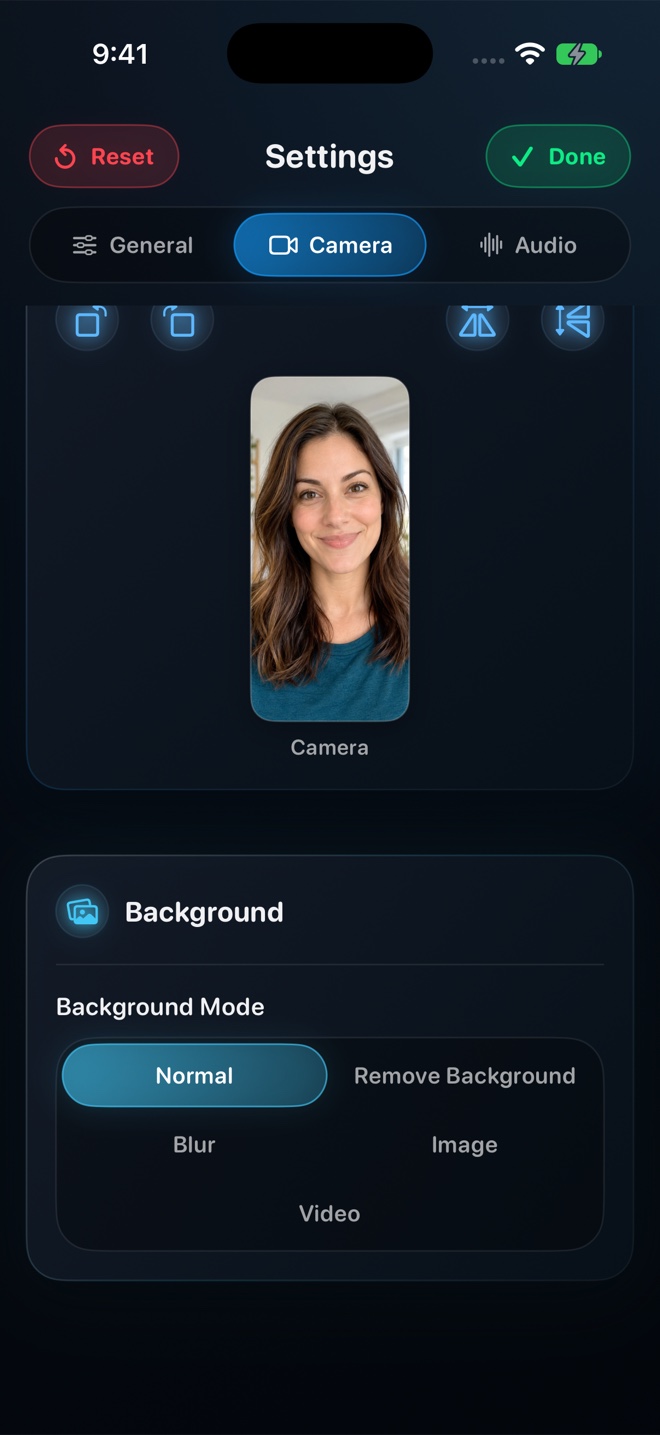
| Cross-app mobile facecam (iPhone & iPad) | Yes — live PiP facecam + neural background blur | No standalone iOS/iPadOS app | Limited on mobile compared to desktop browser/Mac apps |
| Viewer watch tracking, comments & cloud transcripts | None — your file goes wherever you choose to upload it | None | Built-in — view counts, emoji reactions, AI summaries, chapters |
| Direct readiness for NLEs & social platforms | Drag straight into Final Cut, CapCut, YouTube, TikTok, or LMS | Direct (QuickTime .mov or OBS .mkv may need remux) | Must wait for cloud transcode, then download re-compressed MP4 |
Why Cloud Recorders Compress Fast—and Why NLE Timelines Notice
To make a shareable URL ready two seconds after you click Stop, cloud recorders encode and upload chunks in real time over variable home Wi-Fi. When your connection dips, adaptive bitrate logic prioritizes keeping the upload alive over preserving razor-sharp 1-pixel code fonts or 60 fps scroll motion.
Local MP4 recorders never contend with upload bandwidth during capture. Reel writes directly to Apple flash storage via dedicated Media Engine hardware encoders (HEVC on iPhone and iPad, H.264 on Mac), preserving clean UI typography and smooth 30/60/120 fps motion for Final Cut Pro, CapCut, or YouTube.
Shadow IT, Client NDAs, and Accidental Link Leaks
Every consultant and developer eventually records a screen showing an API token in a `.env` tab, staging customer emails, or unreleased product roadmaps. On a local recorder, spotting a mistake means tapping Delete in Photos or Finder—the clip never left your hardware.
With cloud-first recorders, footage uploads while you speak, and 'anyone with the link' defaults have caused real corporate disclosure incidents when links get forwarded or indexed. Local-first capture keeps governance simple: nothing reaches the internet until you intentionally publish a reviewed MP4.
| Technical & Security Dimension | Local MP4 (Reel Screen Recorder) | Cloud Workspace Recorders |
|---|---|---|
| Generation loss before YouTube / social upload | First-generation hardware HEVC (iOS) or H.264 (Mac) master | Stream-encoded for fast upload, transcoded in cloud, then re-compressed by YouTube |
| Confidential / HIPAA / NDA screen exposure | Zero third-party server exposure — bytes stay on your encrypted Apple device | Footage uploaded to vendor cloud buckets; requires vendor BAA / DPA review |
| Archive longevity if you cancel subscription | Your MP4 files sit on your own SSD / Photos / backup drives forever | Downgrading can enforce archive limits or require bulk-exporting hosted videos |
| Audio stream flexibility | Independent app + mic mixer; single-track stereo or two-track MP4 | Single mixed web stream optimized for browser speech playback |
| Resolution & frame rate ceilings | Free 480p/720p/1080p; Native Retina w/ Pro; 30/60/120 fps Mac pref | Typically 720p–1080p on standard plans; 4K/60fps often gated to higher tiers |
Matching Your Storage Cost to How People Actually Watch
Paying $15 to $25 per user per month makes complete sense when a cloud vendor hosts hundreds of team onboarding videos, generates searchable transcripts, and streams adaptive HLS video to coworkers. It makes very little sense if you immediately download the MP4 to upload to YouTube, Udemy, Substack, or TikTok—platforms that already host and stream your video for free.
Reel aligns its pricing with local compute: 480p, 720p, and 1080p capture cost $0, and Reel Pro ($0.99/mo, $9.99/yr, or $14.99 lifetime) unlocks Source Native pixels and removes ads across iPhone, iPad, and Mac.
| Dimension / Use Case | Local MP4 (Reel) | Cloud Workspace (e.g. $15/mo Seat) |
|---|---|---|
| 3-year total cost for 1 creator | $0 (free 1080p w/ ads) or $14.99 once (Reel Pro lifetime) | ~$540 per seat over 36 months |
| Internal engineering & design Slack updates | Great for short drag-and-drop MP4 clips under Slack size limits | Best fit for 20-minute async walkthroughs watched via URL at 1.5x |
| YouTube, Reels, TikTok & course publishing | Best fit — crisp first-generation local MP4 with zero download wait | Unnecessary cloud middleman before uploading to public platforms |
| Security-sensitive enterprise / client consulting | Best fit — zero unauthorized SaaS cloud shadow-IT uploads | Requires IT security approval and strict link-permission hygiene |
| Outbound sales prospecting with 'who watched' alerts | Not applicable (MP4 files have no tracking pixels) | Best fit — Vidyard and Loom notify reps when a prospect opens a link |
Frequently Asked Questions
Does Reel Screen Recorder ever upload my videos to an Arte Soft cloud server?
Never. Arte Soft EOOD operates zero video-hosting servers for Reel Screen Recorder—every recording is encoded and stored strictly on your iPhone, iPad, or Mac.
What if I want both local MP4 quality and a shareable cloud link occasionally?
Record a local MP4 in Reel, then drop that specific file into iCloud Drive, Google Drive, Dropbox, Frame.io, or an unlisted YouTube link whenever you actually need URL sharing.
Why does Reel use HEVC on iOS and H.264 on Mac inside MP4?
iOS and iPadOS hardware HEVC keeps multi-minute mobile screen captures compact on flash storage while staying natively playable across Apple, modern web, and social platforms; H.264 inside MP4 on Mac maximizes instant plug-and-play compatibility across every desktop browser, Windows PC, and NLE.
Related Comparisons & Production Guide
iPad Screen Recorders for Teaching, Whiteboards & App Demos Compared
Compare iPad screen recorders for Apple Pencil lessons and app demos: Reel PiP facecam vs iPadOS built-in recording, whiteboard apps, and solo Zoom rooms.
iPhone Reaction & Commentary Recording Apps and Workflows Compared
Compare 4 ways to film reaction and commentary videos on iPhone for Reels, TikTok, and Shorts: Reel live PiP vs Duet/Remix, CapCut timelines, and reaction apps.