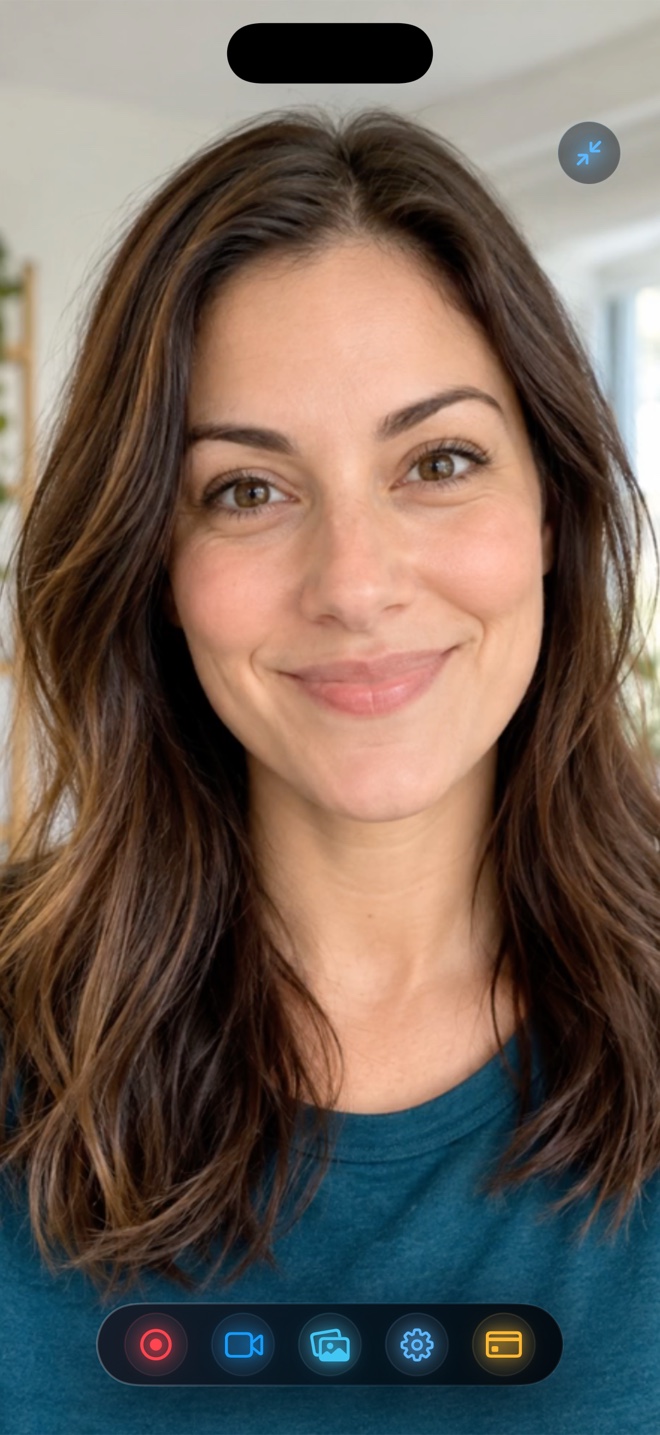
For software tutorials, app demos, gameplay walkthroughs, and multi-platform social posts, **SDR (Rec. 709) `.mp4` output—which Reel Screen Recorder uses across iPhone, iPad, and Mac—is the safest choice**: white app backgrounds stay #FFFFFF without blinding viewers, colors match identically across Slack, Chrome, CapCut, and Final Cut, and zero tone-mapping LUTs are needed. Reserve 10-bit HDR solely for dedicated outdoor cinema clips shot in the stock Camera app.
| Behavior | SDR Rec. 709 MP4 (Reel Screen Recorder) | 10-Bit HLG / Dolby Vision HDR Workflow |
|---|---|---|
| App UI color accuracy (#FFFFFF cards, brand hexes) | Consistent across iOS, Mac, Windows & web browsers | Often shifts or blows out when tone-mapped to SDR displays |
| Mixing screen capture + facecam in one frame | Unified color space — skin tones & UI match cleanly | Mismatch between SDR app UI and HDR camera highlights |
| Slack, Jira, GitHub, Notion & LMS playback | Identical brightness everywhere | Can appear washed out or overly bright on non-HDR monitors |
| Import into Premiere, Resolve, or CapCut | Drop onto any standard Rec. 709 timeline immediately | Requires color-space override / Rec. 2020-to-709 tone mapping |
| File size & hardware decode compatibility | 8-bit compact universal compatibility | 10-bit overhead; older browsers/devices struggle |
| Eye comfort for night-mode viewers | Predictable brightness | HDR social reels force OLED phone screens to 1,000+ nits |
Why HDR Breaks Software UI Demonstrations
High Dynamic Range (HLG / Dolby Vision) was invented so a sunset highlight can gleam brighter than paper white. Software interfaces, however, are 90% paper white! When an HDR timeline interprets a `#FFFFFF` spreadsheet or Settings screen at peak nit brightness, viewers scrolling in a dim room get blasted by a blinding rectangle—and non-HDR desktop browsers wash the clip out into muddy gray.
Recording your screen and floating facecam directly into standard SDR MP4 inside Reel guarantees that brand colors, code syntax themes, and your skin tone look identical on a $200 Chromebook and a Pro Display XDR.
Preventing Facecam Overexposure Without HDR
Most 'my facecam looks blown out' issues come from sitting in front of a bright sunlit window rather than needing 10-bit HDR. Turn so the window or desk lamp sits *in front* of your face rather than behind your head, and enable Reel's soft Portrait Blur—the iPhone camera meters your face cleanly and edges stay crisp.
| Technical Dimension | Reel Screen Recorder Output | Why It Matters for Screen + Facecam |
|---|---|---|
| Color primaries & transfer | Standard Dynamic Range (SDR) compatible MP4 | 99% of software interfaces are designed in sRGB / Display P3 SDR |
| Facecam exposure behavior | Auto-exposed cleanly inside PiP / studio overlay | Prevents bright desk monitors from clipping forehead highlights |
| iOS True Tone / Night Shift | Captures clean framebuffer rather than amber screen tint | Viewers see accurate grays and blues even if Night Shift is on |
| Container & codec | HEVC `.mp4` (iOS/iPadOS) & H.264 `.mp4` (Mac) | Universal web and desktop NLE ingestion |
| Background segmentation | On-device neural blur/backdrop composited in same space | No halo color mismatch around shoulders |
Zero Color-Management Headaches in Video Editors
If you splice three Reel screen captures together in Final Cut Pro, DaVinci Resolve, Premiere, or CapCut, every clip drops straight onto a standard Rec. 709 project without color-space override LUTs.
| Video Type | SDR (Reel) or HDR Camera? | Practical Reason |
|---|---|---|
| SaaS product demo, onboarding, or bug report | SDR MP4 in Reel ($0 free up to 1080p) | Designers and clients need accurate UI hex colors, not neon tone-mapping |
| TikTok / Reels tutorial mixing iPhone screen + talking head | SDR MP4 in Reel | Avoids jarring brightness jumps between facecam and app screens |
| Sunset travel B-roll shot solely for OLED HDR feeds | iPhone Stock Camera (HDR On) | High-nit sky and shadow latitude shine in pure camera cinematography |
| Online course hosted on Teachable, Kajabi, or Udemy | SDR MP4 in Reel | Web course players expect standard Rec. 709 MP4 files |
Frequently Asked Questions
Does iOS Night Shift turn my Reel screen recording orange?
No—ReplayKit captures the digital framebuffer before display warmth adjustments like Night Shift or True Tone are applied to the physical OLED panel.
Why did an HDR clip I played on screen turn dark or black during recording?
If the video came from a paid streaming app (Netflix, Apple TV+, Disney+), FairPlay DRM blacks out the video layer at the OS level; play your own non-DRM clips instead.
Do I need Reel Pro for clean color accuracy?
No—free 480p, 720p, and 1080p tiers use the exact same color pipeline as Source (Native) in Pro.
Related Comparisons & Production Guide
Portrait (9:16) vs Landscape (16:9) Screen Recording Export Compared
Compare Portrait vs Landscape screen recording exports on iPhone, iPad, and Mac: avoiding sideways videos, black pillarbox bars, and 9:16 vs 16:9 crop loss.
iPhone Screen Recording File Size & Bitrate Comparison (480p to Native)
How many MB per minute do iPhone and Mac screen recordings use? Compare 480p, 720p, 1080p, and Source Native MP4 file sizes, bitrates, and low-storage safety.