To cut screen recording file sizes by 50–75% without sacrificing text clarity, record in **Reel Screen Recorder at 720p (for Slack/Jira tickets) or 1080p (for YouTube/social)—both free** and hardware-HEVC encoded on iOS. Reserve Reel Pro's Source (Native) tier or uncompressed wired QuickTime `.mov` files for short NLE zoom masters when you have several gigabytes of free storage.
| Capture Mode | Typical UI / Tutorial Pace | High-Motion 3D Game Pace | Best Upload Target |
|---|---|---|---|
| Reel Low (480p HEVC MP4 — Free) | ~4–10 MB / minute | ~10–18 MB / minute | 2G/3G roaming, strict ticket trackers |
| Reel Medium (720p HEVC MP4 — Free) | ~10–22 MB / minute | ~22–40 MB / minute | Slack, Linear, GitHub PRs (<100 MB limit), email |
| Reel High (1080p HEVC MP4 — Free) | ~20–45 MB / minute | ~45–85 MB / minute | YouTube, Reels, TikTok, Canvas/Moodle LMS |
| Reel Source Native (HEVC MP4 — Pro) | ~35–75 MB / minute | ~75–140 MB / minute | Final Cut / Resolve zoom edits & App Previews |
| iOS Built-In Control Center Recorder | ~35–90 MB / minute (native px) | ~80–160 MB / minute | Quick Photos clips (no size cap option) |
| Wired Mac QuickTime (`Maximum` .mov) | ~250–800+ MB / minute | 1 GB+ / minute | Desk-only uncompressed archival masters |
Why Background Blur Secretly Shrinks Your MP4 File Size
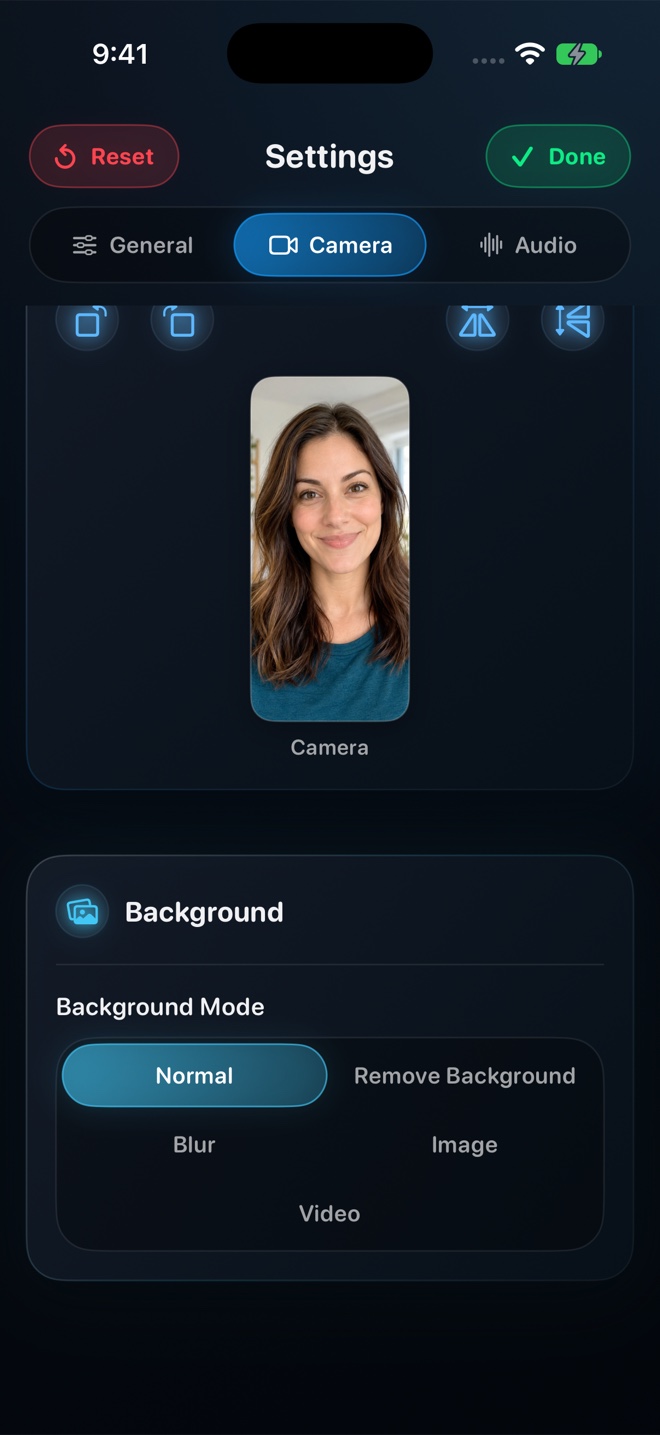
Here is an encoder physics bonus almost nobody realizes: video codecs spend huge bitrate budgets encoding tiny sharp edges—like fifty book spines on a shelf behind your head. Enabling Reel's on-device **Portrait Blur** smooths out background noise in your facecam window, allowing the hardware HEVC/H.264 encoder to dedicate more bits to crisp UI text while producing a smaller file!
Why iOS Needs Double Headroom During Finalization
When you tap Stop Broadcast on an iPhone or iPad, the system finalizes the broadcast buffer and hands the `.mp4` over to Apple's Photo Library. If your phone only had 400 MB free before a 350 MB recording, the Photos copy step can hit a low-disk wall. Always keep at least 3–5 GB free before long sessions—and note that Reel retains local fallback access if Photos export is ever interrupted by storage or permissions.
| Variable | Low Bitrate Impact | High Bitrate Impact |
|---|---|---|
| Screen motion density | Static code, slides, or Settings menus compress tiny | 60fps scrolling feeds, particle effects & camera grain spike bitrate |
| Facecam size & background | Blurred static background reduces high-frequency noise! | Cluttered detailed room or fast-moving video loop increases bitrate |
| Codec efficiency | Hardware HEVC (iOS Reel) saves ~40% space over H.264 | Uncompressed / ProRes `.mov` writes massive intra-frame data |
| Frame rate (Mac) | 30 fps keeps slide/code files lean | 120 fps preference multiplies temporal data |
| Free-space safety buffer | Keep 3–5 GB free on iPhone before 15+ min takes | Photos export needs room for capture file + library write |
Controlling Size *Before* Recording Beats Post-Compression
Recording a 2 GB full-Retina file in Control Center only to wait five minutes running a third-party 'Video Compressor' app drains battery and softens text twice. Picking 720p or 1080p in Reel upfront encodes cleanly once.
| Platform / Storage Constraint | Recommended Setting in Reel | Why It Works |
|---|---|---|
| GitHub Pull Request video limit (10 MB free / 100 MB paid) | 480p or 720p (Free) | Fits a 30–90 second UI reproduction right inside PR markdown |
| Discord free attachment cap / Slack mobile upload | 720p (Free) | Text stays legible while uploading in 3 seconds over LTE |
| 64 GB / 128 GB iPad recording 30-min school lectures | 720p or 1080p (Free) + Portrait Blur | Keeps a full class under ~400–800 MB instead of 3+ GB |
| Archival studio master on 1 TB MacBook Pro | Source Native (Reel Pro $14.99 lifetime) at 60 fps | Maximum pixel fidelity when storage is abundant |
Frequently Asked Questions
What happens if my iPhone Photos library fails to save because storage got tight?
Reel preserves fallback access to the captured file inside the app rather than silently deleting your recording so you can free up space and export it.
Does two-track audio double the video file size?
No—AAC audio streams are tiny (~128–256 kbps, around 1–2 MB per minute) compared to video bitrates, so video resolution and motion dominate file size.
Are 480p, 720p, and 1080p all free in Reel?
Yes—all three size-capped tiers are 100% free with zero watermarks.
Related Comparisons & Production Guide
Internal App Audio vs Microphone Audio in iPhone Screen Recordings
Understand how iOS separates internal app sound from microphone narration: gain balance, single-track vs two-track MP4s, silent switch behavior, and echo fixes.
Live Picture-in-Picture Facecam vs Post-Recording Overlay on iPhone
Compare live Picture-in-Picture (PiP) cross-app facecam vs post-recording reaction overlays on iPhone: real-time sync, background blur, alpha rules, and speed.